Expertise
Our approachCasesCareersContactSEA
SEO
CRO
Social
Data
AI Marketing
WHAT WE SPECIALISE IN
SEO
Social

Knowledge base
Google Ads, formerly Google AdWords, is a system for online advertising of products and services on Google. To advertise on Google, you need to link your Google account and your website. Signing up and creating an account with this system is free and easy. It only takes a few minutes. We've written a clear guide for you on how to do this.
Step 1: Go to ads.google.com
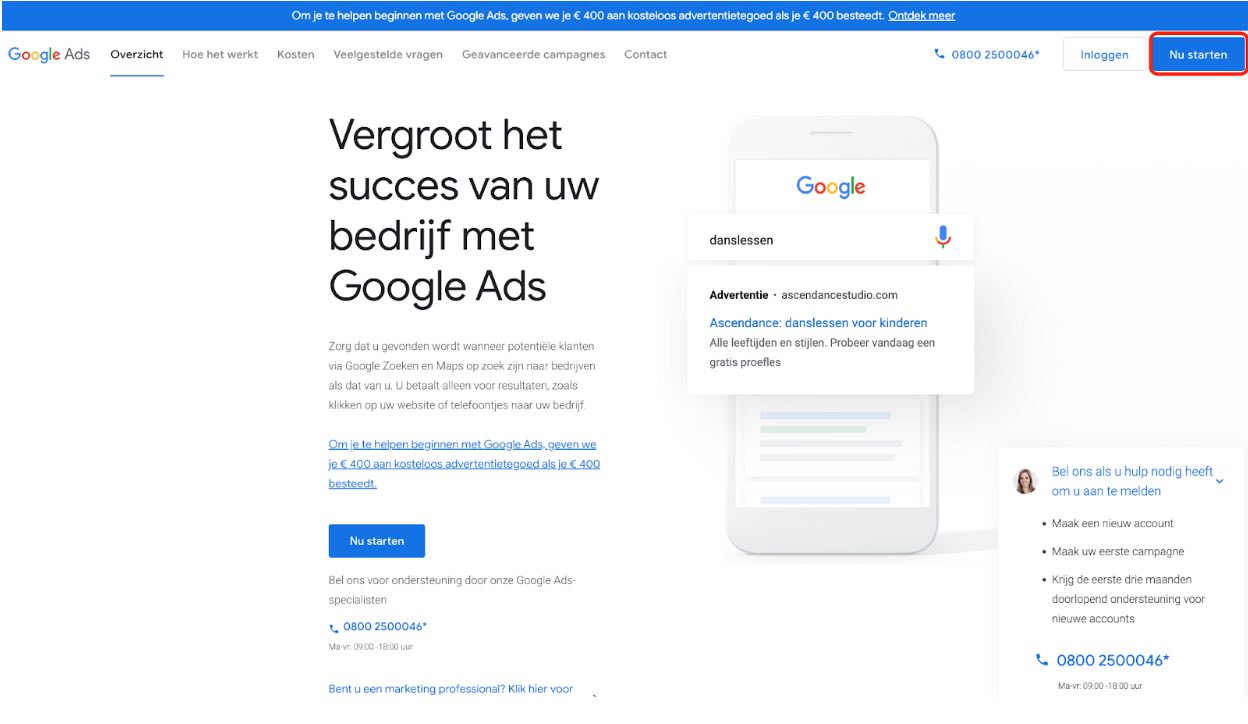
Step 2: Click ‘Start now’ at the top right
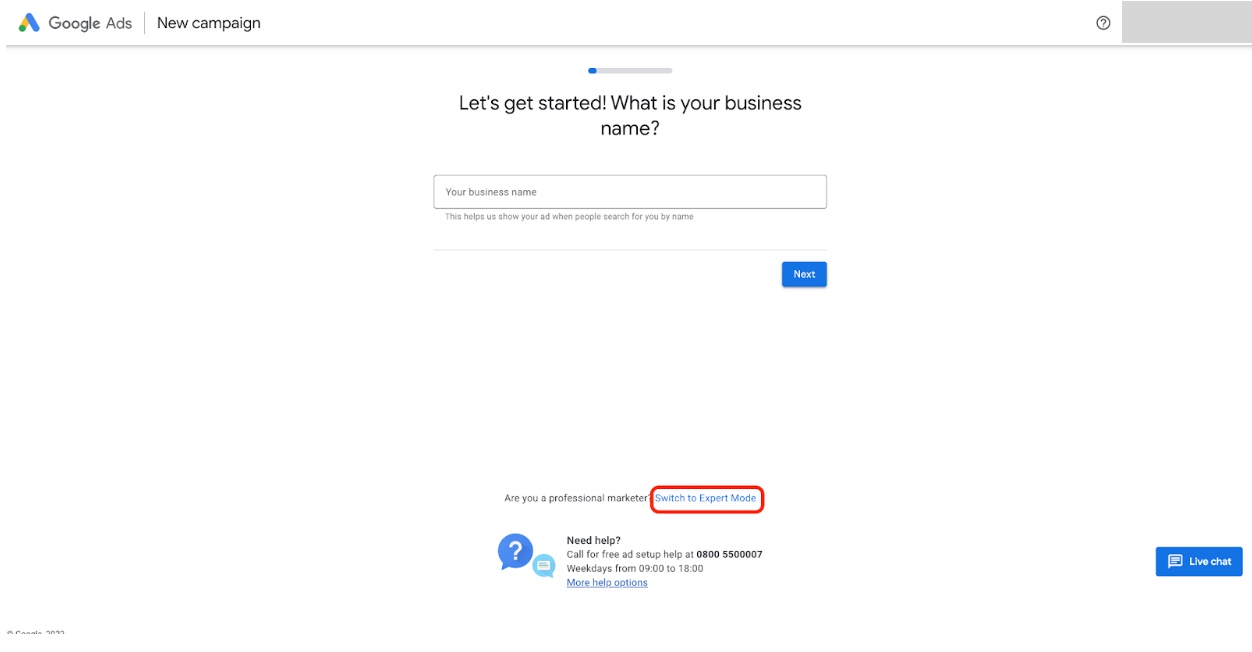
Step 3: Click ‘Switch to Expert Mode’
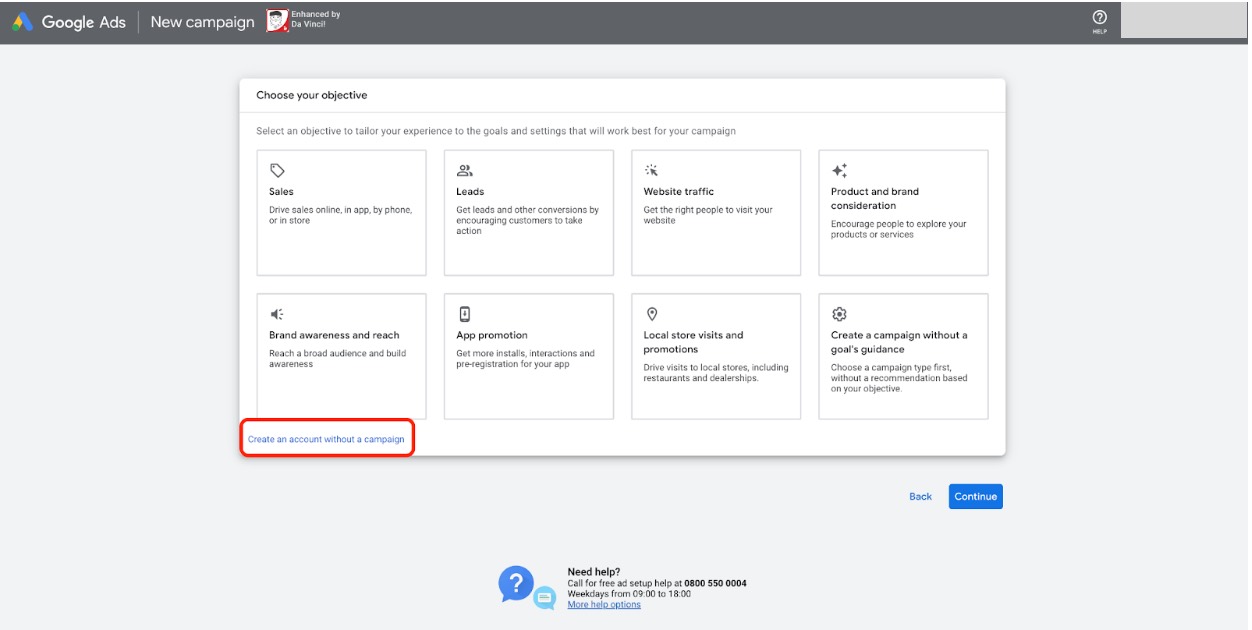
Step 4: click ‘Create an account without a campaign’.
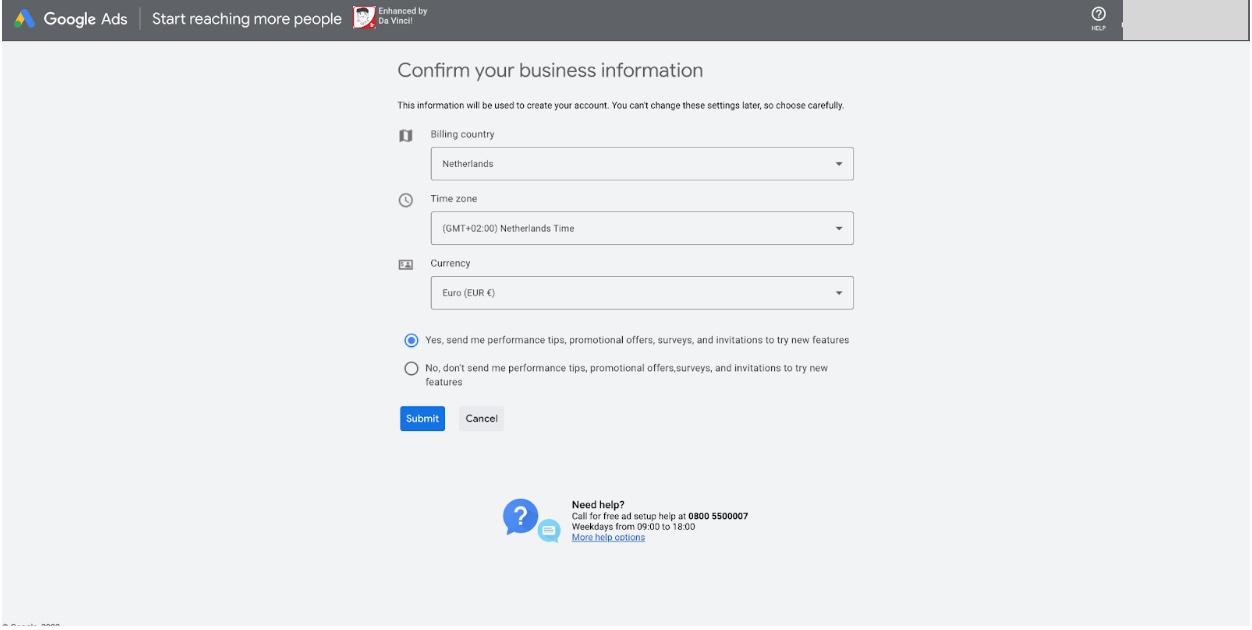
Step 5: Confirm your business information on this screen
Step 6: Click ‘Explore your account’
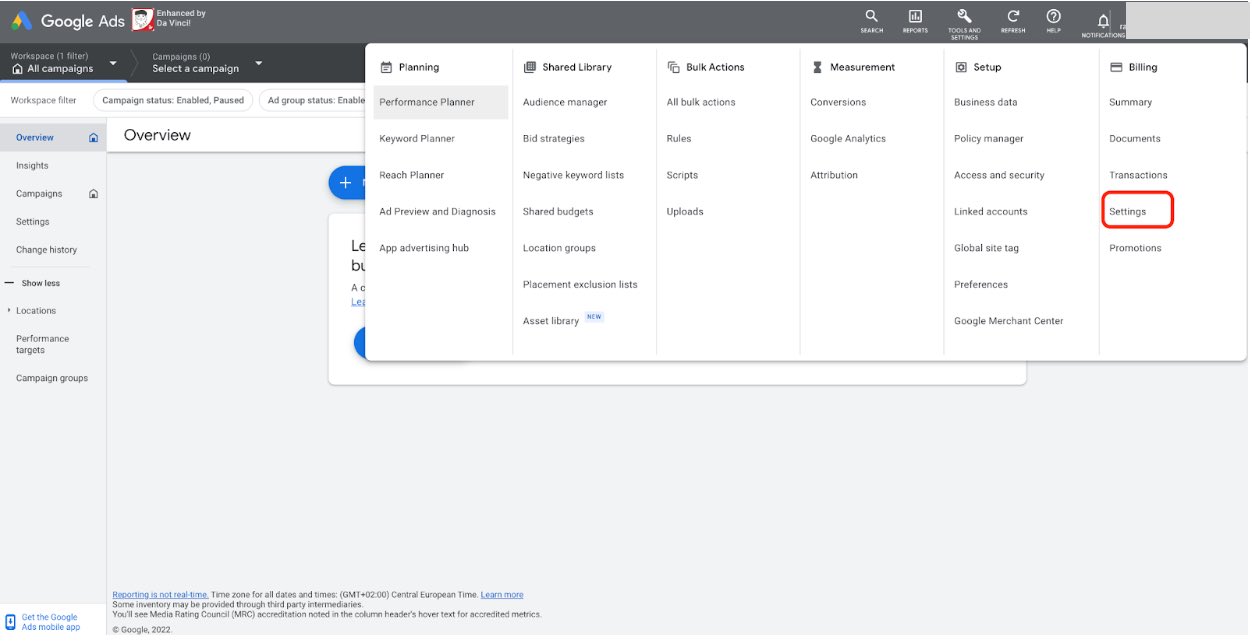
Step 7: Now go to Tools & Settings at the top right and click Billing and then Settings (Billing > Settings)
Step 8: Enter all your business information here.
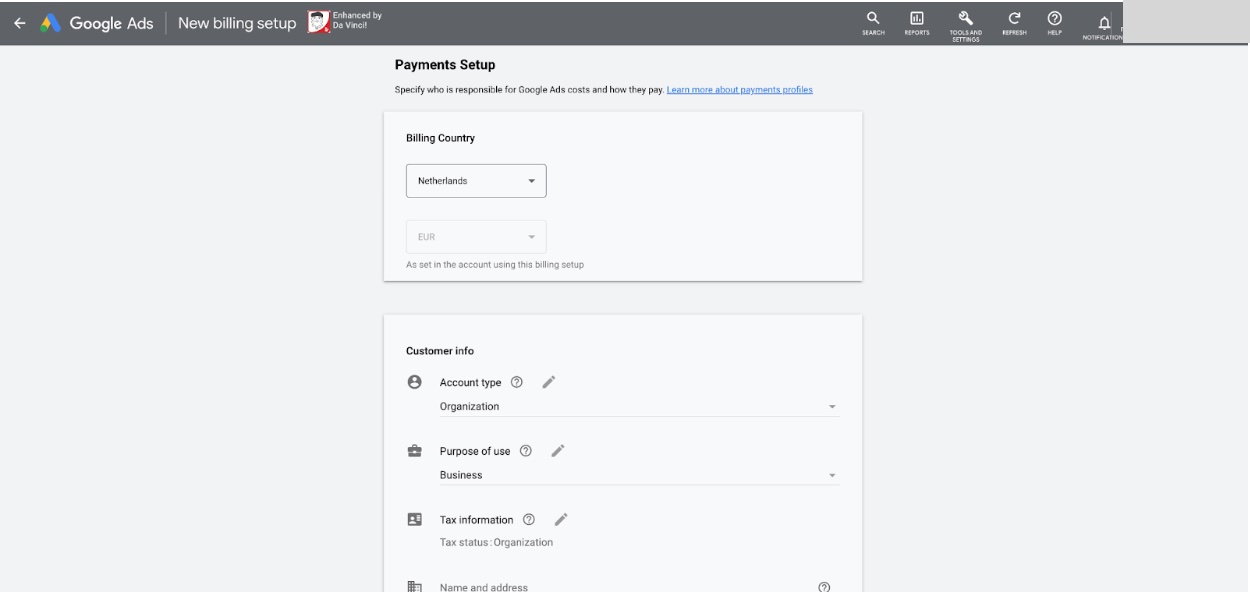
Step 9: At the top right, you'll find a 10-digit code. Pass it on to us (DGTLbase). With this code, we send you a request for access to the Google Ads account.